
How to tell if an online store is legit comes down to cross-checking a handful of independent signals: the age of the domain, the payment methods it accepts, the contact details it lists, and the reviews it earns elsewhere. No single signal proves anything, because each can be faked alone; stacked together they are hard to fake.
We build and audit small online stores and run these checks in both directions; our guide to starting an online store covers the build side.
How to Tell if an Online Store Is Legit: the Five Minute Check
How to tell if an online store is legit, in practice, is a five minute routine you run before a card number goes anywhere. The routine works because it checks signals a scammer would have to fake in six different places at once. A fake storefront can buy a nice template in an afternoon. It cannot buy a ten year old domain, months of dated reviews on independent sites, a phone line a human answers, and a street address that exists on a map.
These six checks are the whole method. They do not need to run in order, and most of them take under a minute each.
Read the URL twice
Misspelled brand names, extra words, and odd endings on a famous name are the cheapest tricks in the book.
Look up the domain age
A free WHOIS lookup shows the registration date. Most scam storefronts are days to weeks old.
Check the payment methods
Cards and wallets carry dispute rights. A store that wants wire transfers, crypto, or gift cards is a walk-away.
Find reviews off the site
Search the store name plus the word scam. Testimonials on the store's own pages do not count.
Test the contact info
A real address, a phone that answers, and an email on the store's own domain, not a free inbox.
Gut-check the price
A discount nobody else can match is the strongest single warning sign there is.
The rest of this page walks each check in detail, shows what to do if you already paid, and then flips the list around: the same checks are the audit your own store has to survive, because careful buyers are running them on you.
Does the Padlock Mean a Store Is Safe?
The padlock icon does not mean a store is safe; it means the connection between your browser and the site is encrypted, and nothing more. The certificate behind that padlock verifies that whoever requested it controls the domain name. It verifies nothing about who that person is or whether they will ship you anything.
The cheapest and most common certificates, called domain-validated certificates, involve no identity check at all. A scammer can get one for a lookalike domain as easily as a real merchant can get one for the real domain. The misunderstanding is old and stubborn: an industry survey back in 2018 already found more than 80 percent of users believed the padlock meant a site was legitimate, and security explainers were still correcting that belief in 2026.
The padlock and https mean the store is safe to buy from.
The padlock means the connection is encrypted. The cheapest certificates involve no identity check, and scam sites use them freely.
So use the padlock one way only: a store with no https at all is disqualified on the spot, and a store with https has proven nothing yet. Spend your minutes on the checks a certificate cannot fake: the domain age, the payment methods, and the reviews.
How to Check a Store's Domain Age
The fastest way to check a store's domain age is a free WHOIS lookup: paste the domain into any WHOIS or RDAP lookup tool and read the creation date. Every registered domain has one, maintained by the registrar, and the math is the date on the record against the date on the calendar. Established stores accumulate years of registration history. Consumer protection groups consistently report that scam storefronts are registered days to weeks before the ads promoting them start running, then abandoned after the complaints arrive.
What the registration date can and cannot tell you
Domain age is supporting evidence, not proof. The date shows when the name was first claimed, not who runs it today; an old domain can be bought, hijacked, or repurposed by a new operator. A young domain is also not an automatic verdict, since every legitimate store was new once. Read it as weight on the scale: a store claiming ten years in business on a domain registered last month is lying about something.
Add the free safety lookups
Two free lookups round out the technical side. The Google Safe Browsing site status page reports whether a URL is currently flagged for hosting unsafe content. A clean result there means the site is not currently flagged; it does not mean the store is trustworthy, because fresh scam domains often have no history to flag yet.
Which Payment Methods Are Safe to Use?
Payment methods are the closest thing this checklist has to a binary test. Nearly every consumer protection source we read for this page lands on the same rule: a store that takes major credit cards and recognized wallets is playing inside a system with dispute rights, and a store that pushes you toward wire transfers, cryptocurrency, or gift cards is asking for money that cannot be pulled back.
The reason is legal, not technical. Under the federal Fair Credit Billing Act, your liability for unauthorized credit card charges caps at 50 dollars, and most issuers waive even that to zero; the dispute process and its deadlines are covered two sections down. A debit card pulls real money out of your account first and argues later, under weaker rules. A wire transfer or a gift card code has no dispute process at all.
| Payment method | What protection you get | Verdict |
|---|---|---|
| Credit card | Federal dispute rights, liability capped at $50, most issuers waive to $0 | Safest way to pay |
| Wallets (PayPal and similar) | The platform's own dispute process on top of the card behind it | Safe with a real account |
| Debit card | Bank fraud rules with shorter windows; the money leaves first | Usable, but riskier |
| Wire or bank transfer | None once it clears | Walk away |
| Gift cards or crypto | None, untraceable by design | Walk away |
This is also the check that saves you when every other check fails. Scam storefronts get better looking every year, and a careful person can still be fooled; paying by credit card means a fooled buyer has a legal backstop, and a gift card buyer has a story.
How to Spot Fake Reviews on a Store
Fake reviews follow patterns you can learn to read in about a minute, and the volume of them is real: Trustpilot's 2025 Trust Report says the platform removed 4.5 million fake reviews in 2024, which was 7.4 percent of everything submitted that year, with about 90 percent of the catches made by automated detection. That is one platform, catching what it can see. Testimonials pasted onto a store's own pages sit outside any detection system at all.

The patterns that give fake reviews away
Real review histories are messy. They spread across months, mix stars, name specific products and specific complaints, and include the occasional unfair rant. Manufactured reviews cluster in tight date ranges, run uniformly five star, repeat the same phrasings, and praise the store rather than any product. If every review reads like the same person on a good day, it was.
Where to look instead of the store's own pages
Search the store name plus the word scam, then the store name plus the word reviews, and read what comes back on independent platforms. Weight what you find by where it lives:
What Else Should You Check Before You Buy?
There are three more things to check before you buy from an unfamiliar store: the contact details, the policies, and the price. Each one takes about a minute, and scam storefronts routinely fail all three.
Contact details you can actually test
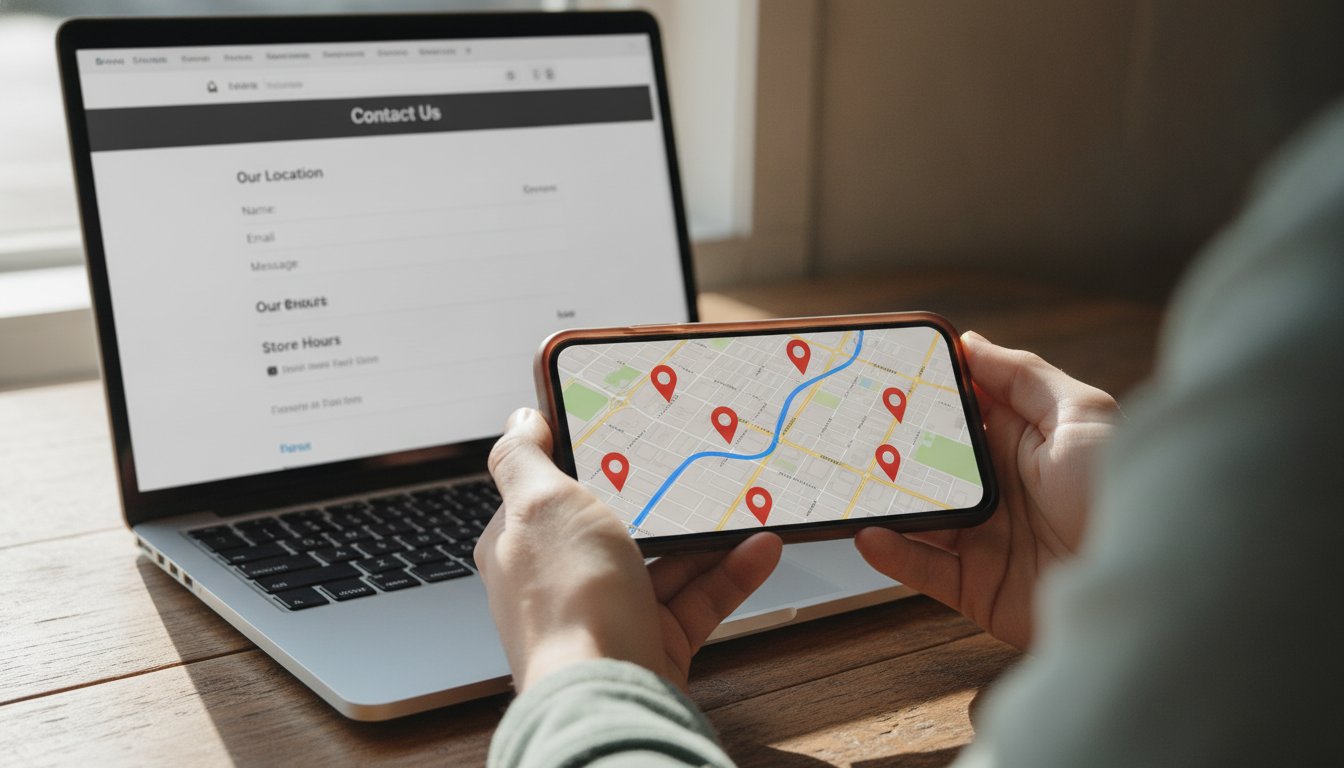
A real store lists a street address, a phone number, and an email on its own domain, and the test is to use them. Send the email a question and call the number. An address can be dropped into a map search: a real shop shows up with photos and reviews of its own, and a fake one resolves to a parking lot, a mail drop, or nothing. You can also search the store's name in the BBB Scam Tracker to see whether other buyers have already reported it.
Business registration and social media back-links
Two checks close the loop on whether the company behind the store exists. First, search the business name in the state business registry where the store says it operates; registration records are public, free to search, and hard to fake on short notice. Second, open the store's social media profiles and confirm they link back to the same domain you are vetting, with a posting history that goes back further than a few weeks. A Google Maps listing with its own photos and reviews is the same kind of cross-reference: independent records that all point at one real operation.
Policies, fine print, and copied text
Read the return policy and the shipping policy before paying, not after. Placeholder text, broken links, and product descriptions copied word for word from other sites are quality tells that no legitimate operator ships. A store that cannot write its own return policy is telling you how the return will go.
Prices that are too good to be true
Steep discounts are the single strongest warning sign in the whole list, and the losses behind them are not abstract. The Better Business Bureau's 2024 Risk Report, published in February 2025, ranked online purchase scams the riskiest scam type it tracks, and the Connecticut BBB logged 476 online purchase scam reports in 2025 with an average loss of 600 dollars, per its February 2026 summary. Electronics, sneakers, and luxury brands at prices nobody else can match are the standard bait.
One structural point changes how much checking you owe: where the store lives. The FTC's guidance on marketplace purchases recommends checking recent buyer feedback and knowing where to report a dishonest seller, and marketplaces give you a built-in dispute process to lean on.
Amazon, Etsy, eBay, and Walmart listings ride on the platform's buyer protection and dispute process. Verification is partly done for you.
An independent storefront can be entirely legitimate, and many of the best small stores are. But every verification step lands on you.
What Should You Do if You Already Paid?
What you should do if you already paid depends entirely on how you paid, and the clock matters more than anything else in this section.
The credit card dispute clock
If you paid by credit card, the Fair Credit Billing Act gives the charge a formal dispute path, and the FTC's plain language guide to disputing card charges lays out the exact deadlines: your written dispute must reach the issuer within 60 days of the statement carrying the charge, the issuer must acknowledge it within 30 days, and the issuer must resolve it within 90 days. While the dispute runs, the issuer cannot collect the disputed amount or report it as delinquent.
| Dispute step | Deadline |
|---|---|
| You file a written dispute with the card issuer | Within 60 days of the statement showing the charge |
| Issuer acknowledges your dispute | Within 30 days of receiving it |
| Issuer resolves the dispute | Within 90 days, two billing cycles at most |
If you paid another way
Debit card payments get bank fraud rules with shorter windows, so call the bank the same day, block the card, and open the dispute on the spot. A wire transfer is a call to the bank immediately and honestly long odds. Gift card payments go to the card's issuer, and recovery there is rare enough that prevention is the whole game.
Report it where the next buyer will look
However you paid, file a report with the FTC and log the store in the BBB Scam Tracker linked above. Reports are how a fake storefront's next search result becomes a warning instead of another sale.
Run the Same Checklist on Your Own Store
Running the same checklist on your own store is the fastest storefront audit we know, because cautious buyers are already running it on you. Not one of the big consumer safety guides is written from the seller's side, and the seller's side is where we live. Stateline Tech builds and audits online stores for small businesses, and we have been selling online ourselves since 2005, running storefronts on six platforms daily; most of the trust failures we see are self-inflicted and free to fix.
Here is the buyer's checklist flipped into the seller's to-do list.
| What the buyer checks | What your store must show |
|---|---|
| URL and https | Your own clean domain with https on every page, not a default subdomain |
| Domain age | A domain you registered early and keep renewed; state your years in business where they can be verified |
| Payment methods | Recognized card and wallet checkout only; never ask for transfers outside it |
| Reviews | Reviews collected on independent platforms a stranger can find, not just quotes on your pages |
| Contact details | Street address, working phone, an email on your own domain, answered fast |
| Policies and price | Return and shipping policies in a way that is easy to understand for beginners, at prices you can defend |
Two of those rows deserve their own pages. Honest, clearly stated shipping is a trust signal buyers check at the cart, and our guide to calculating shipping costs for an online store shows how to set rates you can stand behind. And if your storefront also sells on a marketplace, those marketplace reviews carry independent weight a standalone site cannot fake; our honest guide to selling on Etsy covers that side, and the same logic applies if you run a store without inventory.

When you do not need to pay anyone
Most of that list costs nothing but an afternoon. Writing a real return policy, publishing your address and phone, moving your store email onto your own domain, and putting real faces on the about page are all free, and they move a cautious buyer more than any design polish does. Do those first and you may be done.
What a storefront audit looks like when we run it
Stateline Tech provides an ecommerce consulting audit that runs this exact list against your storefront, the same way a skeptical buyer would, before any build work is discussed. We check what a stranger sees: the lookup results, the checkout options, the policies, and where your reviews actually live. You get the findings in a way that is easy to understand for beginners, ranked by what loses buyers first.
Frequently Asked Questions About Legit Online Stores
Is it safe to buy from an online store with no reviews?
It can be safe to buy from a store with no reviews if the other signals hold: an aged domain, working contact details, standard payment options, and a real return policy. Every store we have opened since 2005 started at zero reviews. Treat missing reviews as one weak signal, lower the amount you are willing to risk, and pay by credit card.
Can you get your money back after buying from a fake online store?
Often, yes, if you paid by credit card: file a written dispute with your issuer within 60 days of the statement, and federal law caps your liability at 50 dollars. Wallet payments have their own dispute processes. Wire transfers, gift cards, and crypto payments are usually gone for good, which is why the payment method check matters most.
How do you know if a Shopify store is legit?
Check a Shopify store the same way you check any standalone store: the platform is legitimate, but the storefronts on it vary. A polished template says little, because anyone can stand one up in an afternoon. Weigh the domain age, the contact details, the outside reviews, and the payment options; the platform hosting a store does not vouch for the person running it.
What happens if you paid a scam store with a debit card?
A debit card pulls money straight from your bank account, and the protections are weaker than credit card rules, with shorter reporting windows. Call your bank the same day you suspect fraud, block the card, open the dispute, and watch the account for follow-on charges. Then report the store to the FTC and the BBB so the listing gets flagged for the next buyer.
How long should a store be online before you trust it?
There is no fixed age that makes a store trustworthy, but time is real evidence: months of dated reviews across independent sites are hard to fake, and consumer protection groups consistently find scam storefronts are days to weeks old when their ads start running. Treat a domain registered last month as a reason to slow down, not an automatic verdict.
You never pay before you know exactly what you are getting. If you would rather have a second set of eyes decide whether your store reads as legit to a cautious buyer, our ecommerce consulting service starts with the checklist above, and you can call us at (608) 214-5158.